2008 Campus Technology Innovators: Student Advising Technology
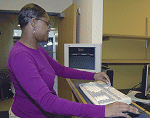
WITH ONE SWIPE of a student's ID card, Harford advisers are automatically notified at
their desktops about the student waiting to be seen. The system also provides an online
photo of the student and a copy of his or her transcript.
TECHNOLOGY AREA: STUDENT ADVISING TECHNOLOGY
Innovator: Harford Community College
To help students 'sail' through the advising office,
technologists teamed an unlikely group of products
and came up with a winning solution.
Monitoring and responding to student academic and campuslife
needs and requirements is a challenging task for any college
adviser; on the other hand, moving through the advising office
is often more than a challenge for most students. At Harford
Community College (MD), a new IT effort is facilitating the
way students interact with that office, enhancing advising services
by improving accuracy and efficiency, streamlining the
process for students and staffers, and augmenting the school's
ability to counsel more students more effectively each day.
The system is called SAILOR (Student Advising Information
and Log On Recording), and its creators say it was designed to
help students "sail" through the advising office. SAILOR utilizes Banner ERP from SunGard Higher Education, identification cards from NuVision Networks, Xerox DocuShare, PaperPort from Nuance, and a host of other technologies.
Joy Hatch, VP for IT, maintains that with more than
11,000 Harford students visiting the advising office each year,
something had to be done to streamline the process.
Thus SAILOR was born in spring 2007, when Application
Developer Bill Merryman set out to design change for the advising
process. Before beginning work on the system, he met with
staffers in the Career and Transfer Services
department to discuss the process
and the goals of the system. He returned to
meet with the same individuals throughout
the development process, to share what he
had created to date, and to take suggestions
for improvements or changes.
According to Hatch, the final product
exceeded expectations, due in large part
to the willingness of advisers to participate
in the development process, and Merryman's
ability to incorporate that feedback.
"SAILOR is an example of technology
innovation designed for collaboration
between the departments that produced
the system, thus allowing greater service
for students," she says.
Today, there are two main components
to the SAILOR application: the web interface
that students use to log in, and the
desktop client that advisers use to manage
and monitor student academics and
activities.
The web interface is hosted on Harford's
web server, which runs Internet
Information Services (IIS) from Microsoft. The pages make
use of Microsoft's ActiveX Data Objects
(ADO) to communicate with: a) an Oracle database (to get a student's
details as required), b) an SQL
Server (to access a table containing the list
of reasons why the student requires advising),
c) the list of advisers, and d) a table to
which the student's sign-in information is
posted. These pages also make use of a
component that communicates to each of
the adviser desktop clients, notifying them
of a sign-in waiting to be seen.
In fact, the functionality of the adviser
desktop client relies on a student swiping
his or her identification card through a
reader connected to the program, upon
arrival at the campus advising office. The
swipe automatically enters identifying data, and in addition to
immediately notifying advisers at their desktops about the student
waiting to be seen, and the reason for the visit, the system
also provides an online photo of the student and a copy of
his or her transcript-- information that saves advisers the time
they used to spend digging up these files on their own.
Thus far, the impact of the SAILOR system has been
marked. For starters, SAILOR has streamlined the institution's
advising process, making it more efficient across the board.
Statistics indicate that Harford advisers saw 8 percent more students in the spring semester of the 2007-2008 school year
than they did in the fall semester. Harford technologists say
they've seen performance improvements in other areas, too,
including security (the new online photos guarantee that students
are who they say they are) and cost effectiveness.
Down the road, Hatch says she expects the project to be
replicated for advising offices in other schools. Already, Harford
has allowed other community colleges in Maryland to use
the concept; additional systems based loosely on this idea are
in the works, as well. Also in the works are plans to roll out
similar systems for the Registrar, Admissions, Financial Aid,
and Disability Support Services departments.