Why Your Help Desk Should Be More Like Apple's Genius Bar
This Arizona college IT organization took an idea from Apple to build a better relationship with its faculty and staff "customers."
- By Dian Schaffhauser
- 09/19/13
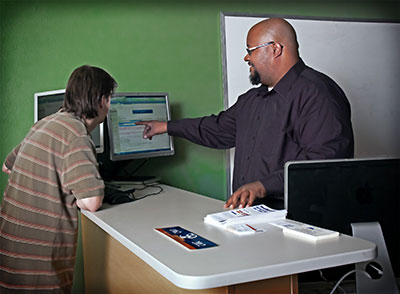
Help Desk Manager David Smith helps a user at Chandler-Gilbert Community College's genius bar. Photo courtesy of Chandler-Gilbert Community College. |
Is your help desk run out of a back room somewhere, lost in the depths of a labyrinthine campus building?
A few years ago, the answer at Chandler-Gilbert Community College (AZ) was yes. With help desk operations located in a distant room on the second floor of the library, users would need a good sense of direction and be willing to traverse the controlled access required to get technical help. As a result, most assistance was provided by telephone instead. "It wasn't really high-traffic at all," notes Victor Navarro, director of information technology at the college.
Navarro and his team were looking for a way to make the help desk experience more personable, promote walk-in traffic, and improve user satisfaction. "We wanted to build a better relationship with our customers," he says. "We wanted to have a welcoming environment for faculty and staff to be able to come talk to the help desk staff and let the technical individuals work directly with them, face to face."
Going from Back Room to Front Line
When IT had the opportunity to take over a classroom that was about 800 square feet--still on the second floor but along a well-trafficked pedestrian walkway--it modeled the new location after the "genius bar," Apple's approach to providing technical support to its retail store customers.
Navarro describes the space as "a service desk for the most part." But it also includes a couch and other seating around the perimeter. Plus, similar to Apple's genius bar, there's a flat screen display with a computer so that end users can view demonstrations.
Why call it a genius bar? "There's a level of familiarity with people that have experienced the genius bar at the Apple Store," Navarro says. "They tend to have a good experience. So we wanted to be able to leverage that."
How the Genius Bar Operates
The genius bar is staffed by Help Desk Manager David Smith and two staff members. On a typical day, says Smith, the team will handle about 32 phone calls a day, but they'll also get four to five people a day coming in for face-to-face help, a dramatic increase from the very little they had before.
The service is promoted at the beginning of the semester, when IT holds a technology session with faculty, and on the school's website. Because the help desk is only responsible for college-owned equipment, students are not the target customer, though they aren't turned away. (Students have access to various forms of tech support provided through the computer lab and via an outsourced 24-hour phone and web service delivered through the community college system.) That leaves about 2,300 computing devices--85 percent of them Windows PCs and 15 percent Macs--for the genius bar to service.
Turning Tech Talk into Plain Talk
A key aspect of the genius bar experience in Apple stores is that the people working behind the counter, while really smart about Apple products, are also geniuses in using plain talk and analogies to explain technical concepts to customers who often aren't technical at all.
Smith says this is where his team shines. "We don't talk 'technical' to our customers because a lot of them are not as computer savvy as some of the kids who go to school here. By talking to them in layman's terms, using analogies, guiding them and pointing them in the right direction, and explaining things to them, when they walk out, they feel educated, they feel they have a sense of worth, and they can go out and do this on their own. It gives them a sense of, 'Hey, these guys just gave me the information I needed; they educated me; and now I'm stronger at being able to utilize this program or this system.'"
That personal touch, as Navarro refers to it, goes a long way in how people on campus perceive tech support. "In the past, there really wasn't a person behind that phone call." So the genius bar face-to-face approach has bolstered relationships. "I think it's really helped our reputation," he adds. "It's really improved the way that people look at the help desk."
Both Navarro and Smith would like to expand the Apple store concept just a bit further by adding an area where faculty and staff could try out new kinds of devices. But they also realize that they may not have the resources or physical layout they need to do it right. "I think it would have a direct influence on how you're going to lay out the space and separate for demonstration and hands-on activities vs. the other aspect of solving problems and talking with customers," explains Smith. "All of that happening in the same space requires some serious considerations." Plus, he says, it "would have some implications for the resources we would need at the help desk."
But genius bar help is here to stay. "It's a great idea if you want to expose your service desk and let your customers know that there are people to help you one-on-one and give you the training and guidance you need in order to successfully do your job every day," Navarro reports. "It's not for all of our users. But for those who are willing to take advantage of the service, they walk away with a satisfied experience."
About the Author
Dian Schaffhauser is a former senior contributing editor for 1105 Media's education publications THE Journal, Campus Technology and Spaces4Learning.